Fill answers from the link
Prefill questions from the form link, and keep hidden values like where people came from.
Add answers to a form's link and they're filled in when it opens. Use it to greet someone by name from an email, pick their plan from a pricing page, or record where people came from.
Give a question a link key
- Select the question in the builder.
- Under Fill from the link, type a link key, like
nameorplan. - Share the form's link with the key and a value:
…/f/your-form?name=Asha&plan=Pro.
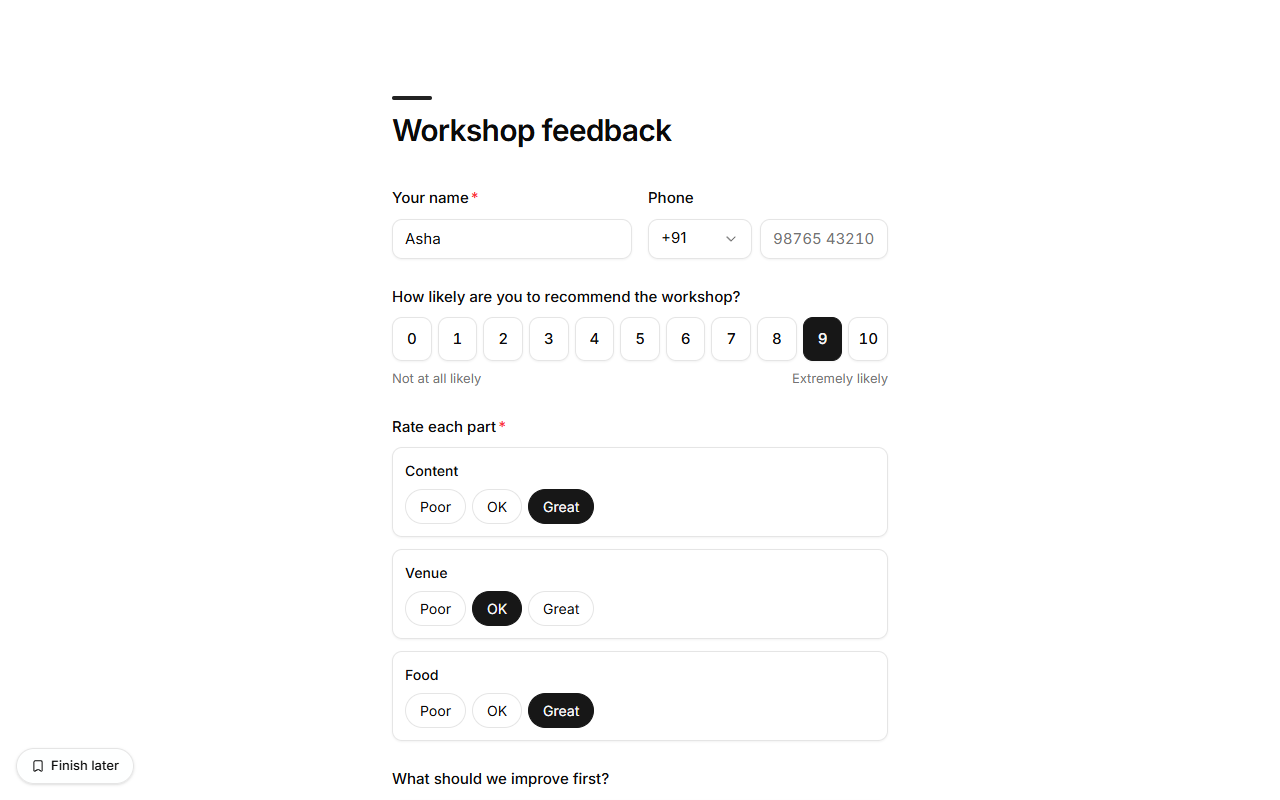
The builder shows the link to copy once a key is set. Keys use lowercase letters, numbers, -
and _.
| Question | What the link can give it |
|---|---|
| Text, email, phone, date, time, country | The text as written. |
| Number, rating, scale, NPS, slider | A number. |
| Single choice, dropdown | An option's label (any case). Anything else is left empty. |
| Multiple choice | Options separated by commas: ?topics=Food,Drinks. |
| Yes / no | yes or no (also true / false). |
Files, signatures, addresses, grids and rankings can't be filled from a link. People can still change anything that was filled in, and every answer is checked as usual when they send it.
Hidden fields
A hidden field is never shown to people. Add one from the question picker (under Files
and more), give it a link key such as utm_source, ref or campaign, and its value comes
from the link. Set a value too and it's used when the link doesn't give one, for example
which poster a QR code was printed on.
Hidden fields are saved with the response like any answer: you see them in the response, the CSV export and webhooks.