Question types
Every kind of question and the settings each one has.
Every question has a label, optional help text (one line under the label), an optional icon, and a required switch. Each type adds its own settings.
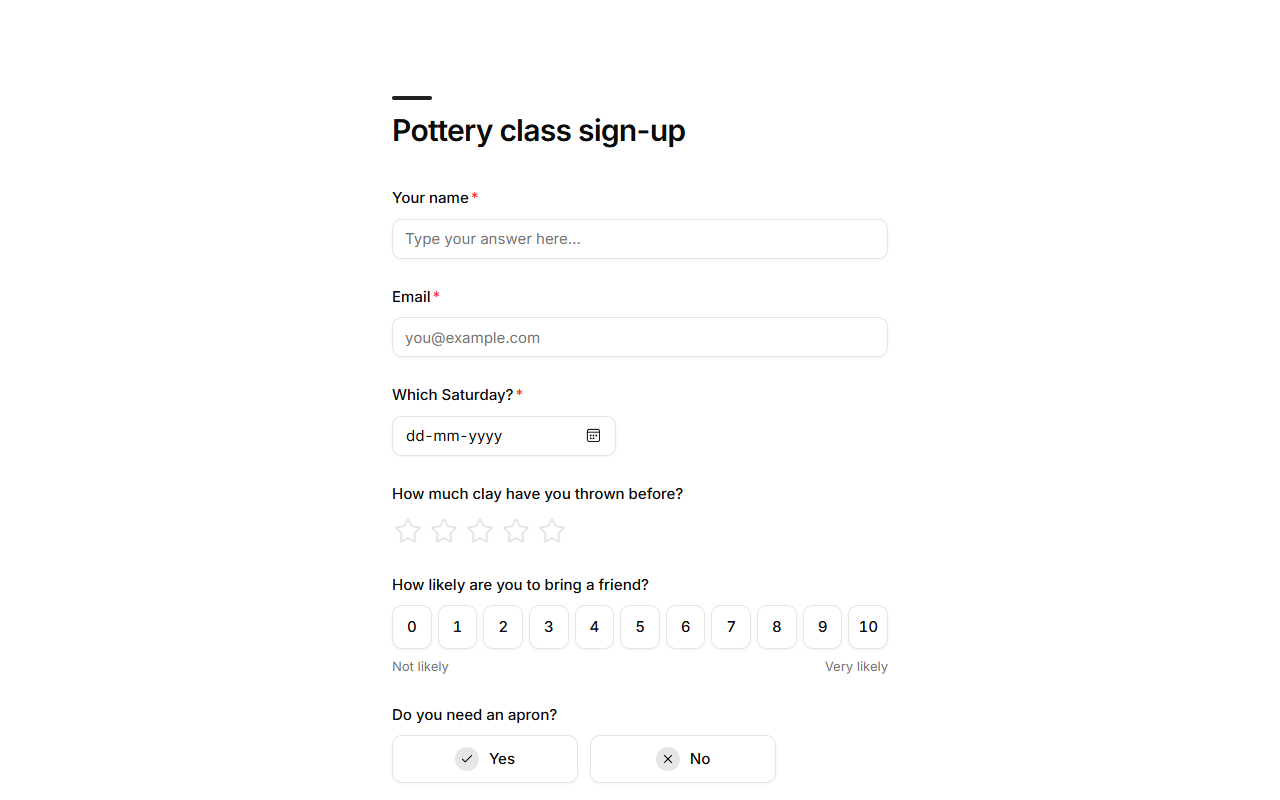
Text and contact
| Type | Use it for | Its own settings |
|---|---|---|
| Short text | Names, short answers. | Placeholder, min and max length, a pattern. |
| Long text | Comments, descriptions. | Placeholder, min and max length. |
| Email addresses. Checked to look like one. | Placeholder. | |
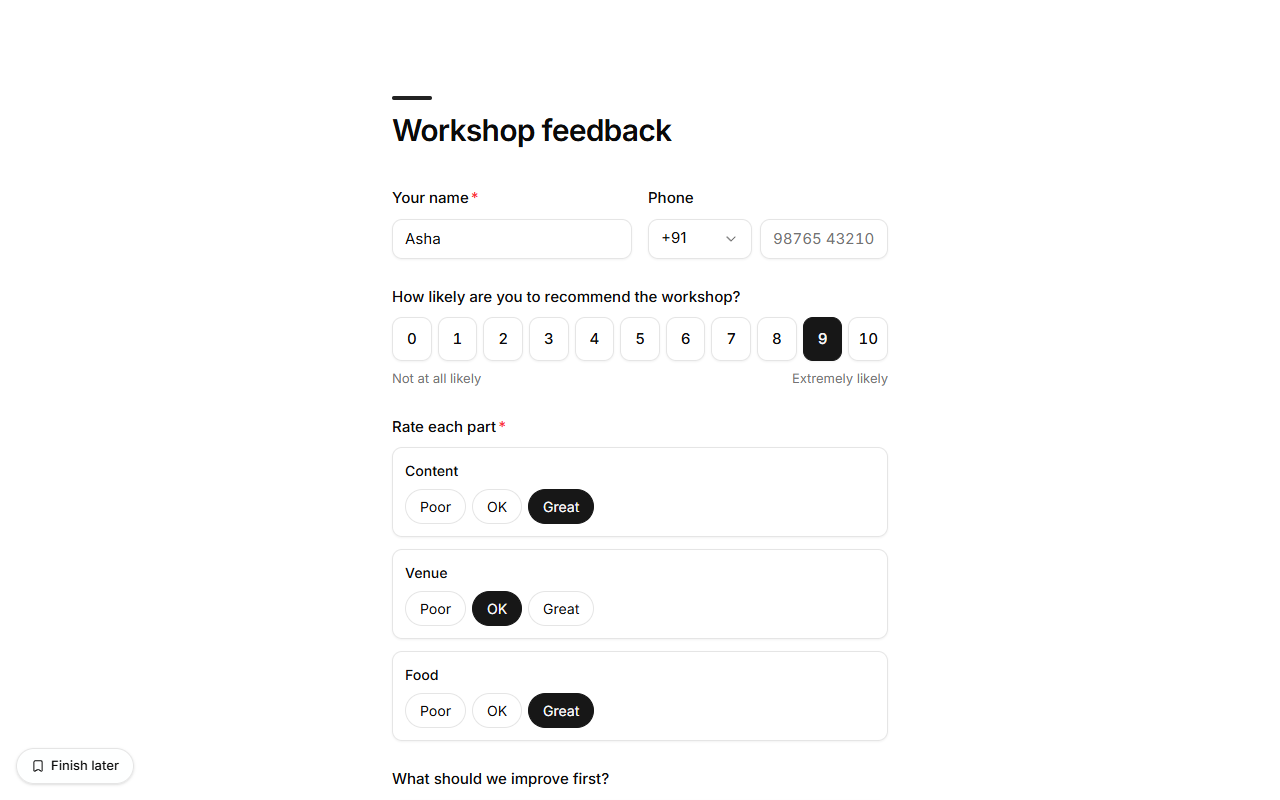
| Phone | Phone numbers, with a country code picker (India first). | The country code it starts on, placeholder, a pattern. |
| Number | Counts, ages, amounts. | Minimum, maximum. Can be the amount to pay on a paid form, for donations or tips. |
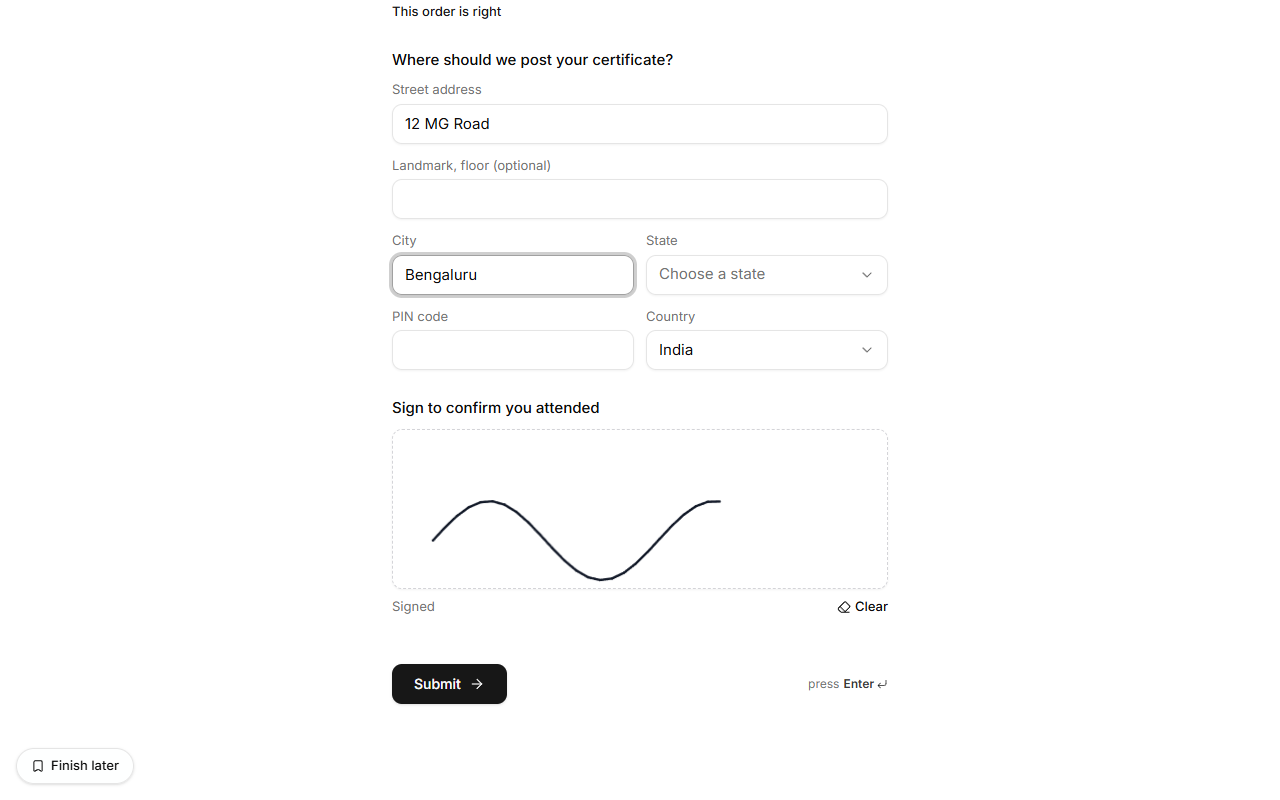
| Address | Delivery and billing addresses: street, landmark, city, state (a list for India), PIN code and country. | Required means street, city and PIN code. |
| Signature | Waivers, consent, delivery sign-off. People sign with a finger or the mouse. |
Choices
| Type | Use it for | Its own settings |
|---|---|---|
| Single choice | One answer from a list. | Options, and how they look. See Choice displays. |
| Dropdown | One answer from a long list. | Options. |
| Multiple choice | Any number of answers. | Options, shown as a list, pills or cards. |
| Yes / no | One quick decision. | Labels for each button, or a switch. |
| Consent | Agreeing to terms. | The consent text. Leave it empty for a single tick box. |
| Country | A country, picked from a list. | |
| Choice grid | Rating several things on the same choices: Food, Service, Value × Poor, OK, Great. One pick per row. | Rows and columns, one per line. Required means every row. |
| Ranking | Putting options in order of importance. People drag them or use the arrows. | The items, one per line (2 to 20). |
Options can also come from one of your lists instead of being typed in, with prices and spots left. See Choices from a list.
Scales and ratings
| Type | Use it for | Its own settings |
|---|---|---|
| Rating | Stars. | Number of stars (3 to 10). |
| Opinion scale | A 0–10 or 1–5 score, like "How likely are you to rate us?" | Lower and higher ends (0 or 1 to 3–10), labels for each end. |
| NPS | "How likely are you to recommend us?" from 0 to 10. Results show your Net Promoter Score. | Labels for each end. |
| Slider | A value in a range, like a budget. | Minimum, maximum, step, text before and after the value ($, %, km). Can be the amount to pay. |
| Calculation | Quotes, totals, scores. | A formula over earlier answers, text before and after, decimals. Read-only; see Calculations and answer piping. |
Dates, times and files
| Type | Use it for | Its own settings |
|---|---|---|
| Date | Days. | |
| Time | Times of day. | |
| File | Documents, pictures. | Allowed file types (images, documents, or your own list). The file uploads as soon as it's picked: pictures, PDF, Word, Excel, PowerPoint, plain text or CSV, up to 8 MB. Open it from the response. |
Hidden fields
A hidden field is never shown. It keeps something about the response that the person
doesn't type, like where they came from: it fills from the form's link (?utm_source=instagram)
or holds a fixed value. See Fill answers from the link.
Side by side
Two short questions that belong together (first and last name, city and postcode, date and time) can sit side by side: set each one's width to half. Forms the agent builds do this on their own.
Show questions only for some answers
Any question, block or step can show only when earlier answers call for it. See Conditional logic.
Layout blocks
Headings, text, images and dividers structure a form without asking anything. See Layout blocks.