Linked lists
A class links its teacher; a teacher's screen lists their classes.
A record can point at a record in another list: a class links its teacher, a product its category. Customers follow the link, and each teacher's screen lists their classes.
Link two lists
- Make both lists, say Teachers and Classes.
- In Classes, add a field of kind Link to another list and pick Teachers.
- In each class record, pick its teacher. The picker searches the Teachers list.
The agent can build linked lists too ("a class booking app where each class has a teacher with a bio").
What customers see
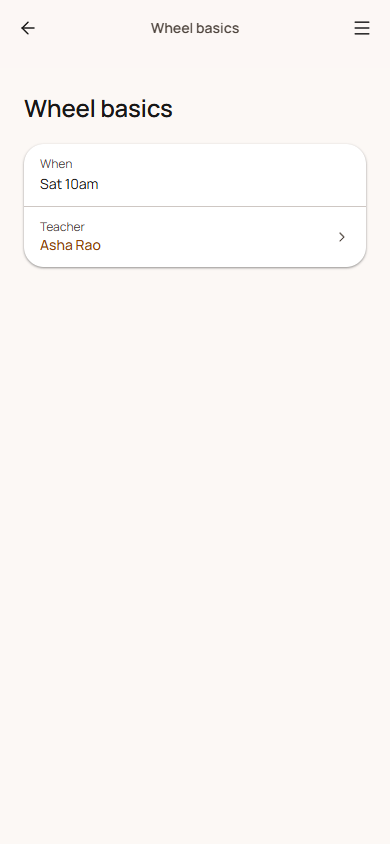
- The class's detail screen shows Teacher: Asha Rao. Tap it to open her screen (if Teachers has its own tab).
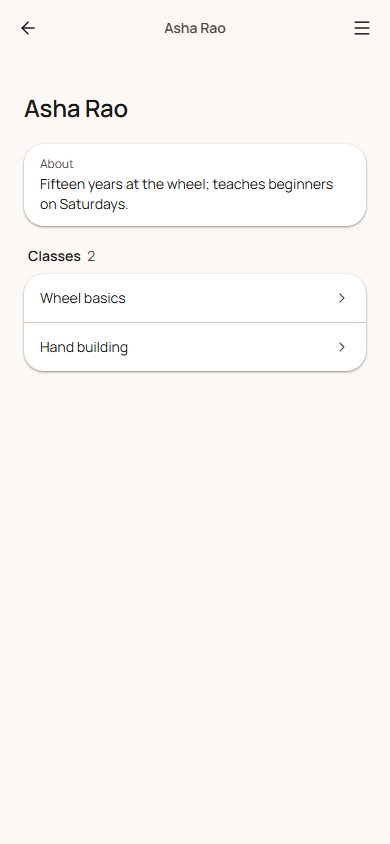
- Asha's screen lists Classes that link to her, with a count.
- A link field can be the filter, so customers filter classes by teacher.
Rules
- A link must point at a record that exists in the chosen list, in the same app.
- Customers only see a linked record's name if they could see that record themselves. A teacher's name never shows through a link from a list they can't read.
- A list other lists link to can't be deleted until those links are removed.