Screens that change with the data
Hide records, badges, fields and tabs that follow your data.
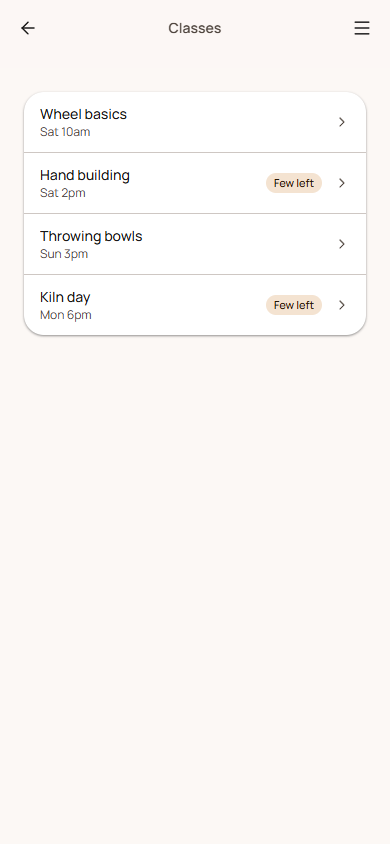
An app's screens can follow what's in your lists and who's looking: hide classes that are full, badge the ones nearly gone, show a field only on some records, or show a tab only to signed-in customers. Set it all in the Data tab, under the list's Show in the app settings.
Rules
Every setting here is a rule, written as field · comparison · value, like "Spots left · is at most · 0". With several rules, choose whether all of these or any of these must be true.
| Comparison | For |
|---|---|
| is, is not | Any field. Text matches whatever the capitals. |
| is more than, is at least, is less than, is at most | Numbers. |
| includes, doesn't include | Multiple-choice fields. |
| has a value, is empty | Any field. |
These are the same rules as conditional questions in forms.
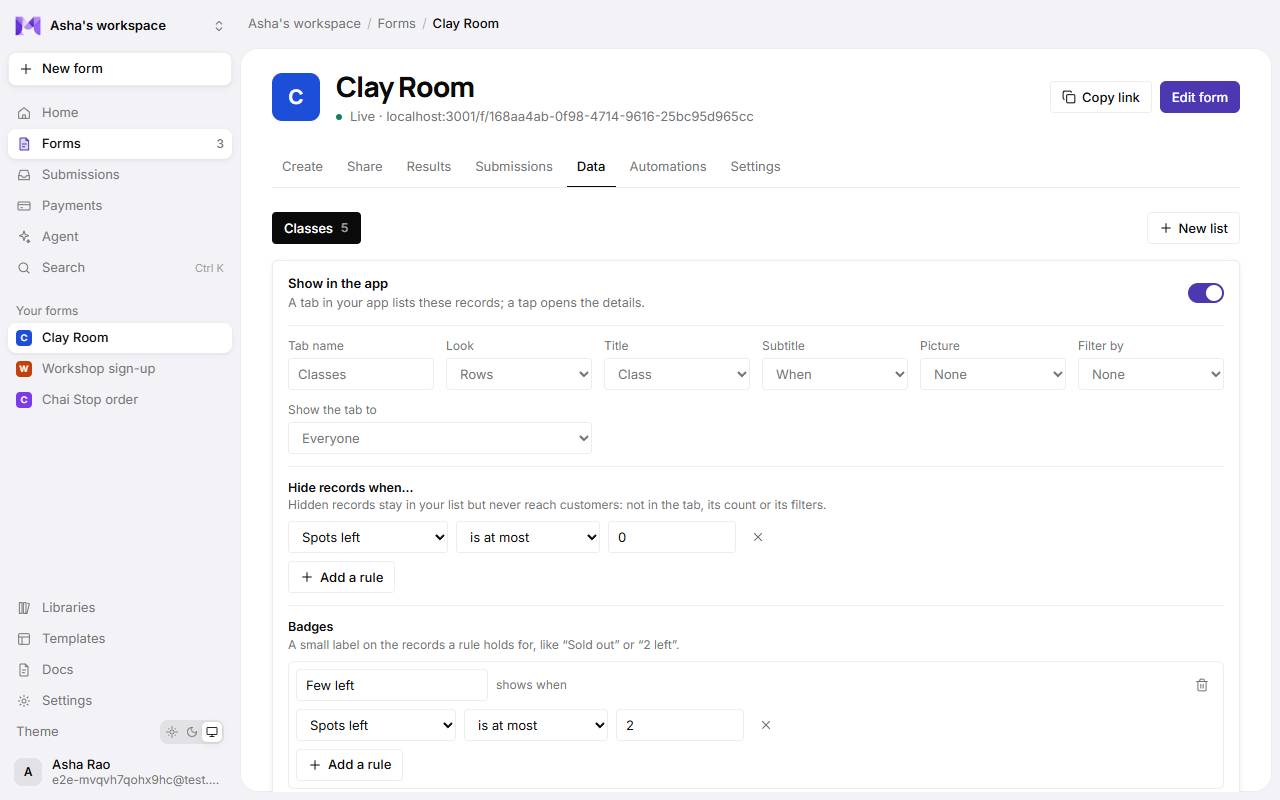
Hide records when…
Records a rule holds for stay in your list but never reach customers: not in the tab, not in its count, not in its filter chips, and not when someone follows a link to one. Change the record (free up a spot) and it's back. You still see every record in the Data tab.
Badges
Up to 5 small labels on records, each shown when its rule holds: "Sold out" when spots left is at most 0, "2 left" when it's at most 2, "New" when a yes/no field is Yes. A badge needs at least one rule to show.
Show a detail field only when…
On a record's screen, a field can show only for some records: the price only while spots are left, a "Waiting list" note only when the class is full.
Show the tab to
Everyone, Signed-in customers or Customers not signed in: a members' tab for signed-in customers, or a "How it works" list for newcomers. This only decides whether the tab shows; who may read a list is still its own Who can see it setting.
Good to know
- The builder's preview shows every tab, so you can check them all; records you hide are hidden there too.
- Hiding is done by the server, so a hidden record can't be found another way. Badges, detail fields and tabs change only what's shown of records the customer may already see.
- See also Dashboard screens.