Passwords and invite links
Only people with the password, or with their own one-time link, can respond.
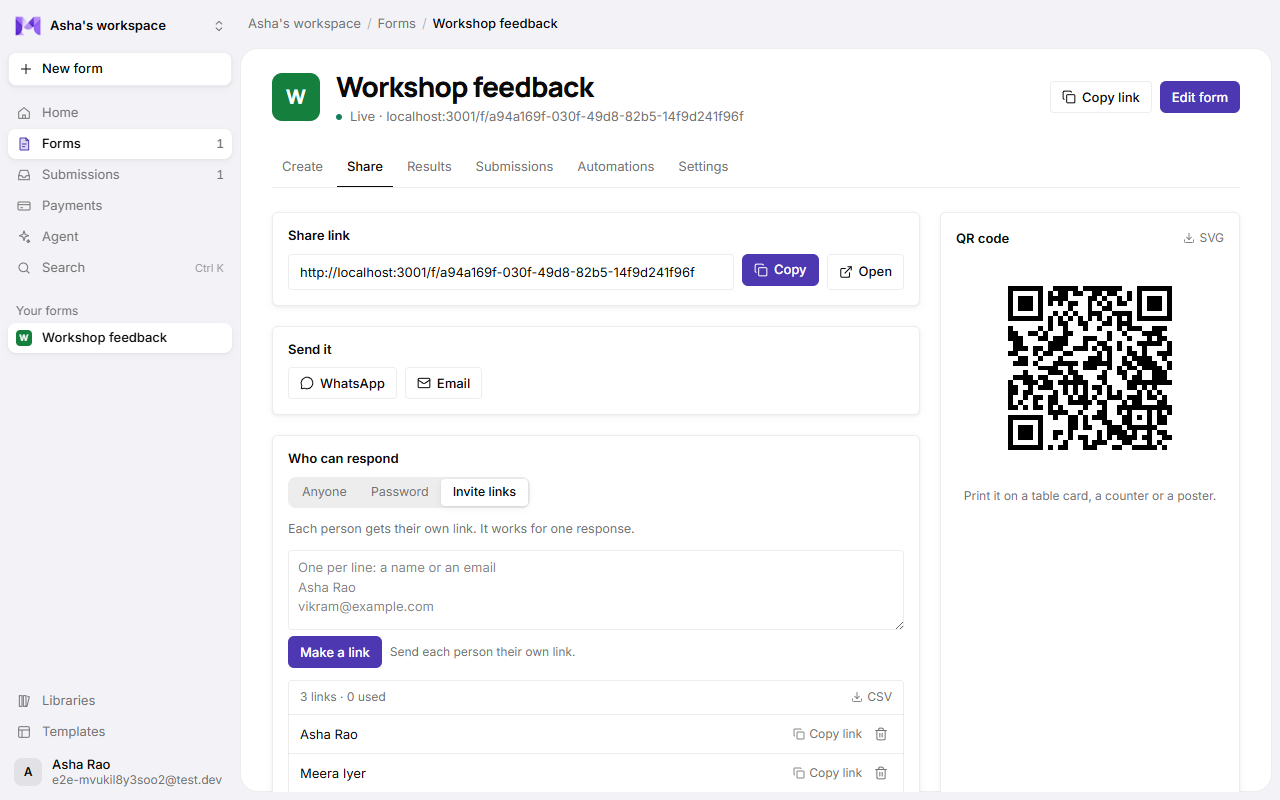
Choose who can respond to a form in its Share tab, under Who can respond:
| Choice | Who can respond |
|---|---|
| Anyone | Anyone with the link (the default). |
| Password | People who type the password you set. |
| Invite links | Only people you send their own link. Each link works for one response. |
Changing it is a form change: publish it to make it live.
Password
Pick Password and set one (4 characters or more). People see the form's name and a password box; the questions only load once the password is right. Change the password at any time; Remove it and nobody can open the form until you set a new one. After ten wrong tries, someone has to wait a few minutes.
Invite links
Pick Invite links, type who they're for (one name or email per line, up to 200 at a time) and Make links. Copy each person's link, or download them all as a CSV to send from your own email or messages. Mikxx doesn't send them for you.
- A link opens the form straight away. Once its response is sent, it's marked used and stops working, so each person answers once.
- Delete a link to stop it working. A response already sent stays.
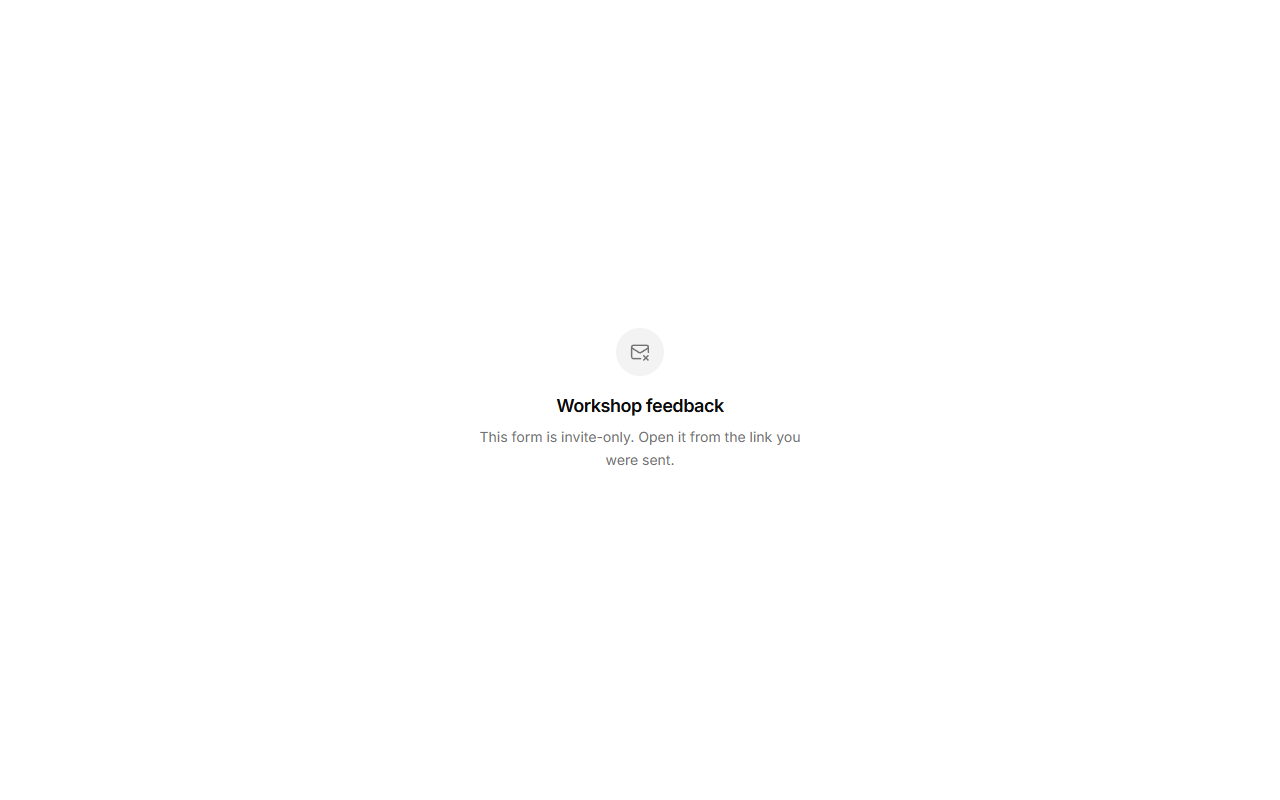
- Without a link, the form says it's invite-only.
Good to know
Password and invite-only forms work with every layout, payments, and saving to finish later. The public API can still read and add responses: it uses your workspace's keys, not the form's password.