Start from a template
Ready-made forms and mini apps to copy and make your own.
Templates are ready-made forms and mini apps: the questions, the design, and for apps the lists with a few starting records. Use one and it becomes a draft in your workspace that you change however you like before it goes live.
Find one
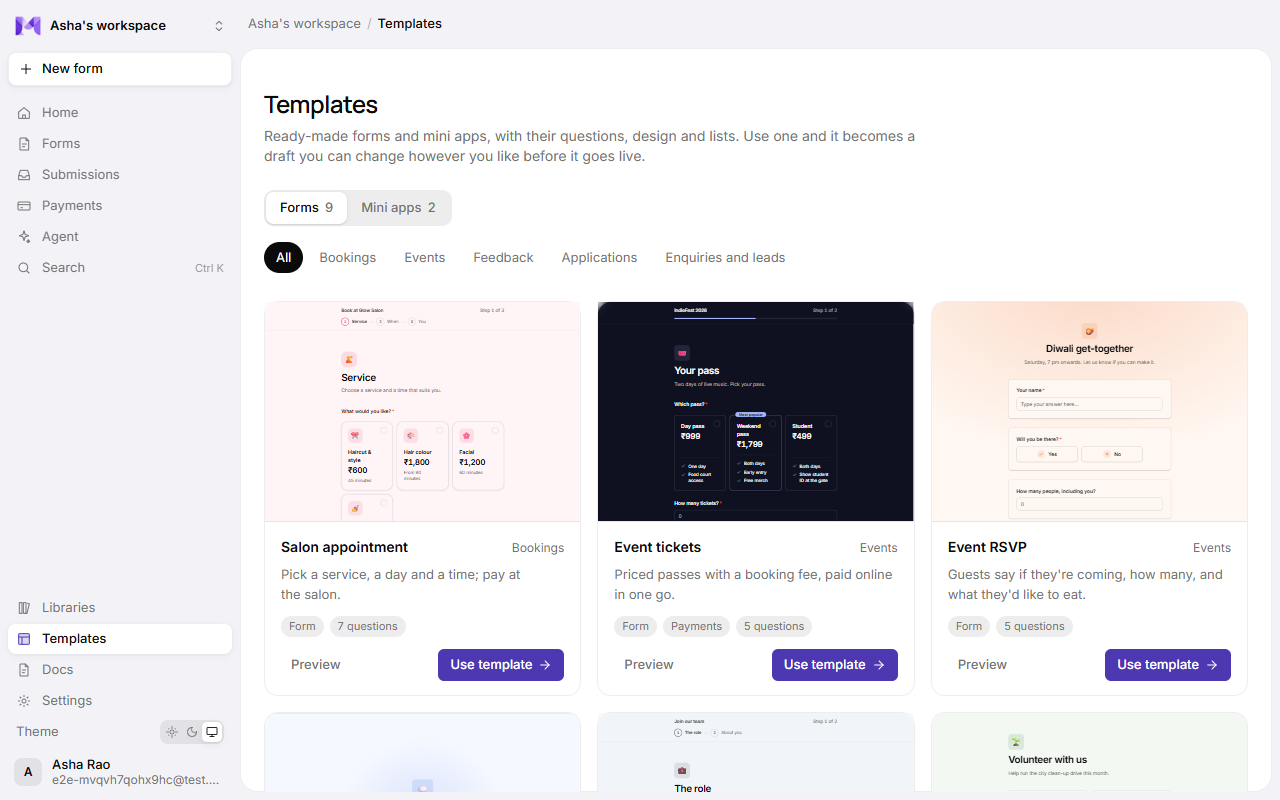
Open Templates in the sidebar, or Start from a template → All templates on Home. Choose Forms or Mini apps at the top (each shows how many it has), filter by category, and click a template (or Preview) to see the real form at full size.
| Category | Templates |
|---|---|
| Orders | Café order app: chai, coffee and snacks ordered from the table, paid by UPI. |
| Bookings | Class booking app (classes with spots that fill up, paid by UPI), Salon appointment. |
| Events | Event tickets (priced passes and a booking fee), Event RSVP. |
| Feedback | Customer feedback, with an AI follow-up when the rating is low. |
| Applications | Job application (with a CV upload), Volunteer sign-up. |
| Enquiries and leads | Contact and enquiry, Tuition enquiry, Quote request. |
Each card says whether it's a form or an app, whether it takes payments, and how many questions it asks.
Use one
Click Use template. Mikxx makes a draft copy in your workspace and opens it in the builder:
- The questions, the design and the display mode are the template's.
- For apps, its lists are created with their starting records (a studio's classes, say), and questions that choose from a list take their options from it.
- Forms that take payments get an email question for the receipt.
Nothing is live until you publish. Change the names, prices and wording to your own first: the starting records and prices are examples.
Good to know
- A template is checked the same way as a form the agent builds, so it always saves and can go live as it is.
- Using a template again makes another copy; your earlier copies aren't touched.
- Only people who can edit forms can use templates. Viewers can browse them.
- Payments need your setup first: see Payouts.