Home and results
Your day at a glance, and each form's summaries.
Home
Home is your day at a glance:
- Needs you: payments to confirm, bookings to confirm, new orders.
- Today: orders and money in, compared with the same day last week, and the last 7 days.
- Coming up: bookings ahead.
- Your forms: each with its responses and status.
- Start something: describe a form or app and click Build it, or start from a template.
The Forms page
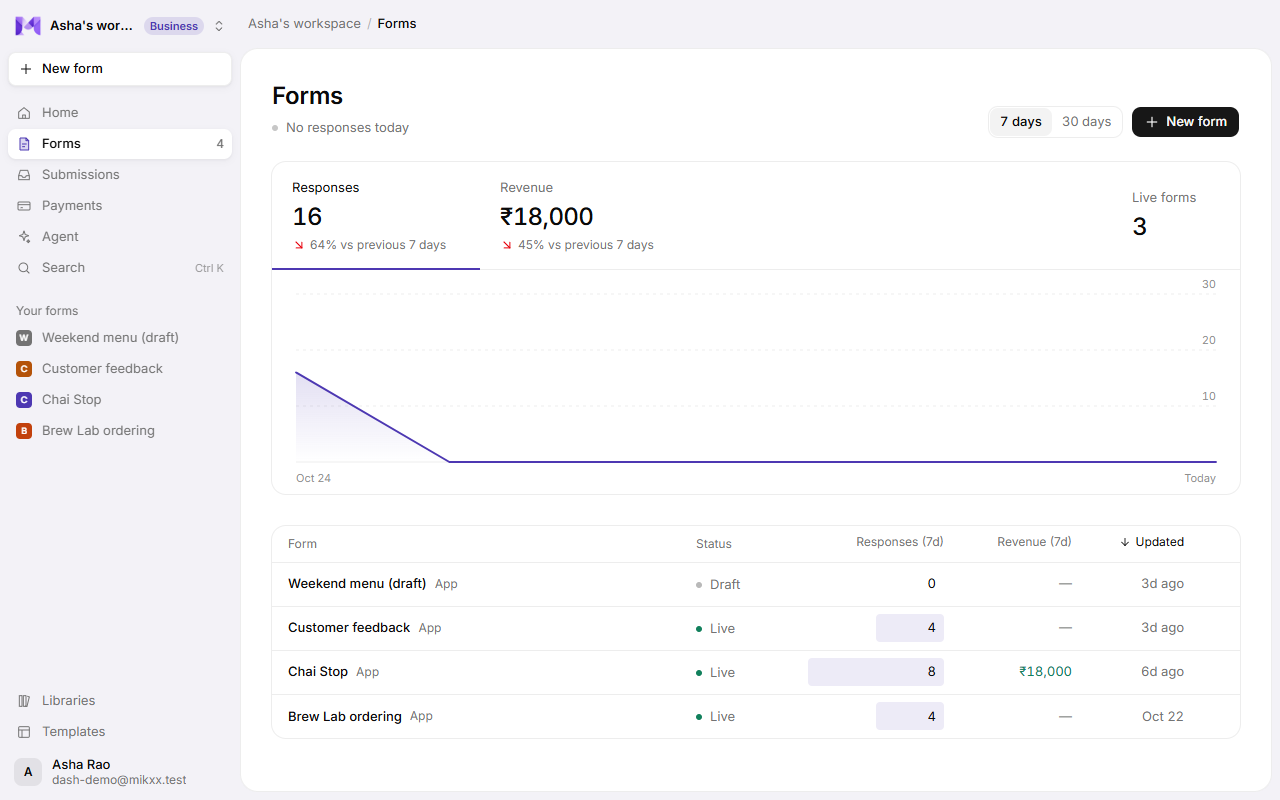
Forms in the sidebar lists every form with how it's doing:
- Responses and Revenue for the last 7 days or 30 days, each compared with the period before, and how many forms are Live. Click Responses or Revenue to chart it.
- A table of forms: Status (Live or Draft), Responses and Revenue for the period, and when each was Updated, most recently updated first.
- New form at the top right.
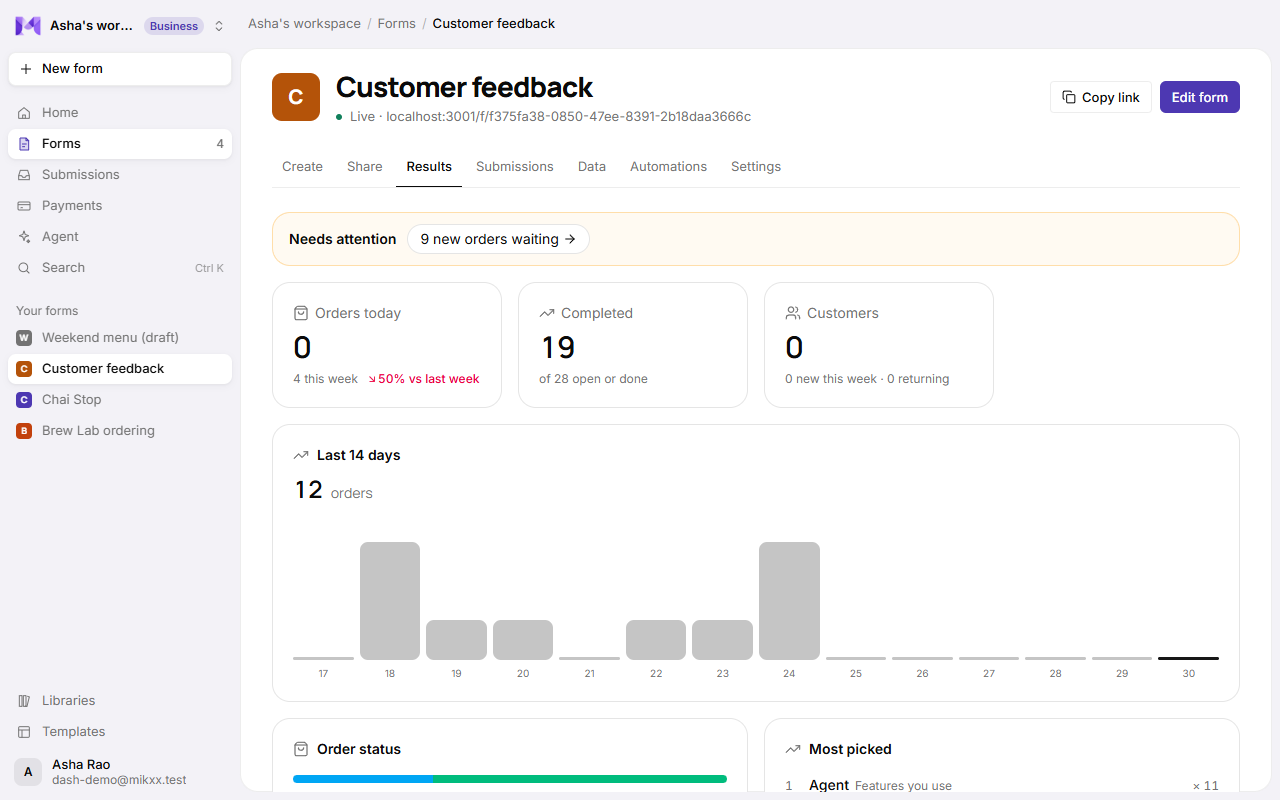
A form's Results tab
| For | You see |
|---|---|
| Every form | Responses over time, and per question: counts for choices, averages for ratings and scales, and the Net Promoter Score for NPS questions. |
| Paid forms | Money in, orders paid and waiting, the average order, top items. |
| Apps | The order board, customers (new and returning), and messages left in answers. |
| Live forms | Drop-off: how many opened it, started, reached each screen and sent it, and where most people leave. See Drop-off and funnels. |
Ask the agent
For questions the summaries don't answer ("which class sells out first?", "summarise this week's feedback"), ask the agent in the form's chat. It reads a summary of your responses first. See The agent looks at your data.
Good to know
- Drop-off analytics (where people stop filling a form) aren't available yet.
- Times follow your device's time zone.