Plans and billing
Free, Pro and Business: the fee each keeps, prices, renewals and cancelling.
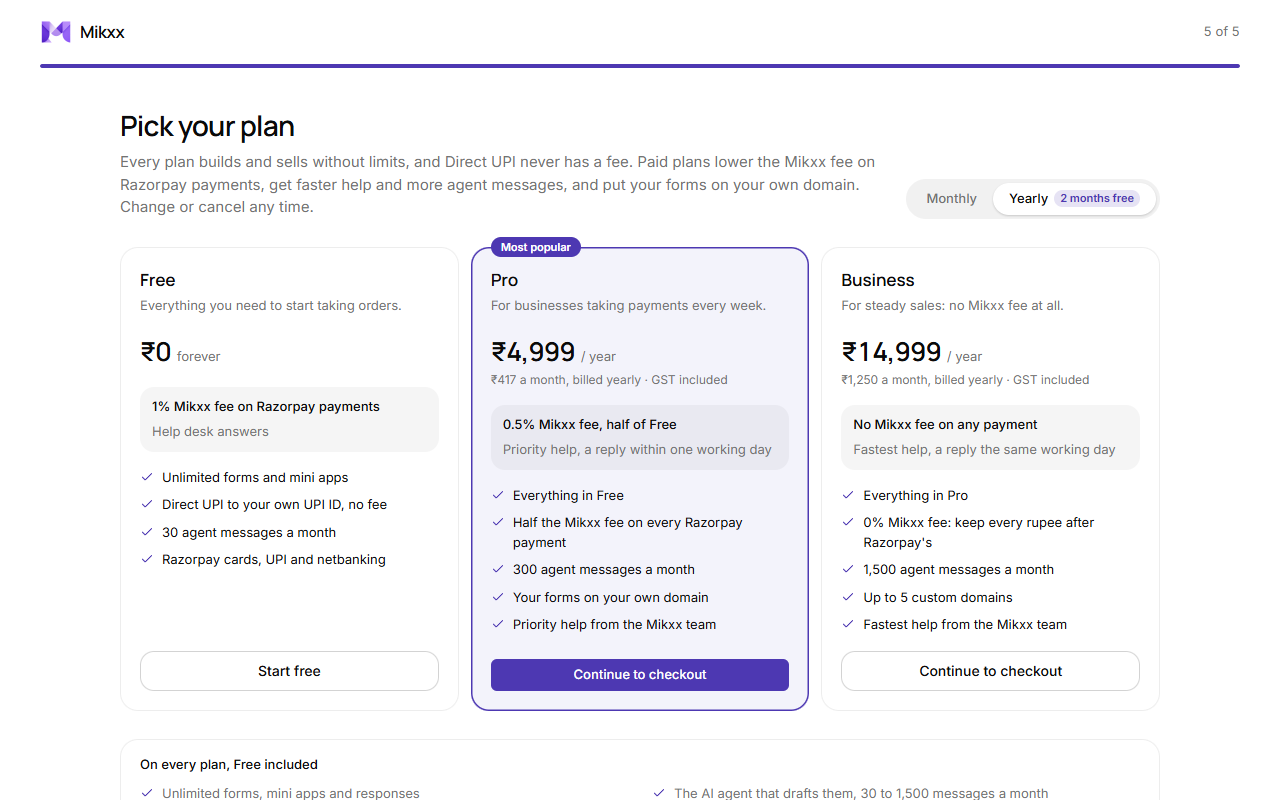
Every plan has unlimited forms, mini apps and responses, the agent, Direct UPI, Razorpay, bookings, customer sign-in, automations and your team. Plans differ in four things: how much of each Razorpay payment Mikxx keeps, how fast the Mikxx team replies, how many of your own domains your forms can use, and how many messages you can send the agent a month.
| Plan | Price (GST included) | Mikxx fee on Razorpay payments | Help | Your own domain | Agent messages a month |
|---|---|---|---|---|---|
| Free | ₹0 | 1% | Help desk | None | 30 |
| Pro | ₹499 a month, or ₹4,999 a year | 0.5% | A reply within one working day | 1 | 300 |
| Business | ₹1,499 a month, or ₹14,999 a year | None | A reply the same working day | Up to 5 | 1,500 |
Direct UPI never has a Mikxx fee on any plan. Razorpay's own fee (about 2%) is the same on every plan. The pricing page has a calculator that shows which plan costs least for your monthly Razorpay sales.
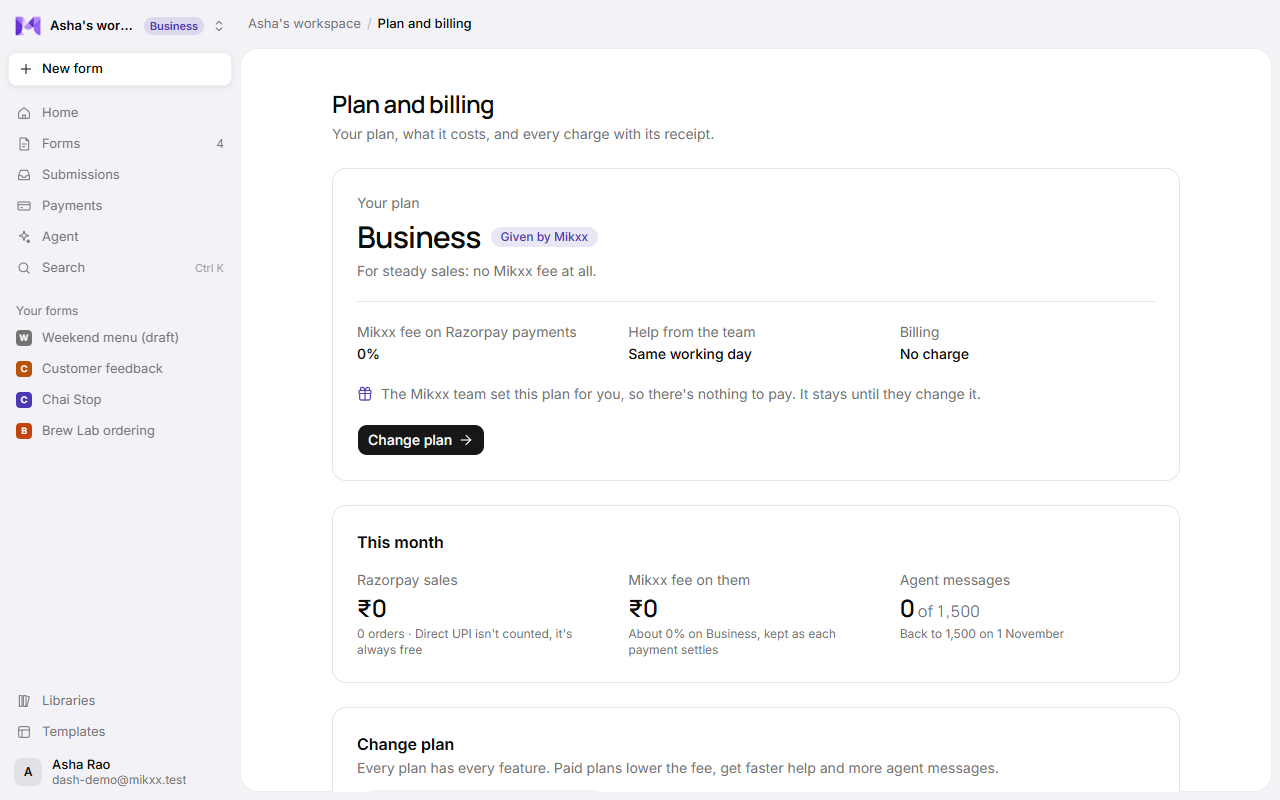
Plan and billing
Open your account menu (bottom left) → Plan and billing, or Settings → Plan. Your plan's name also shows beside your workspace's name in the sidebar. The page has four parts:
| Part | What's there |
|---|---|
| Your plan | The plan, whether it's active, cancelled or retrying a payment, its price, its fee, how fast we reply, and when it renews or ends. A plan the Mikxx team gave you says so, with nothing to pay. |
| This month | Your Razorpay sales this month and roughly what Mikxx's fee on them comes to, and how many agent messages you've used of your plan's monthly limit. If a higher plan would cost less at that volume, plan price included, it says by how much. |
| Change plan | The plans side by side, monthly or yearly. |
| Billing history | Every charge for your plan, with Razorpay's receipt for each. |
Upgrade
Pick Pro or Business when you sign up, or later on Plan and billing. Choose Monthly or Yearly (yearly is about two months free). Before checkout opens, the page says what you'll pay today and from which date it renews. Pay in Razorpay checkout by UPI AutoPay or card. The plan switches as soon as the payment goes through, and the new fee applies to payments from then on. Only owners and admins can change the plan.
Renewals
Paid plans renew automatically each month or year through Razorpay, which emails a receipt each time; it's also under Billing history. If a renewal fails, Razorpay tries again and your plan stays meanwhile; Plan and billing says so.
Switch or cancel
- Switch between Pro and Business on Plan and billing. The new plan starts straight away and the old one stops.
- Cancel plan stops it renewing. Before you confirm, it says what changes and on which date. You keep the plan until the end of the period you paid for, then the workspace moves to Free. Your forms, apps and data don't change; a custom domain is paused until you upgrade again.
Refunds: in full within 7 days of your first payment, and for any charge made by mistake. See the Refund and cancellation policy.
Good to know
- While Razorpay runs on test keys, checkout says Test mode and no real money moves.
- The Mikxx team can also set a workspace's plan by hand.