What Mikxx is
Forms and mini apps you can describe or build, publish with one link, and act on.
Mikxx builds forms and mini apps. Describe what you need, or build it by hand. Share one link, take payments, and act on every response.
What you can make
- Forms: registrations, orders, bookings, feedback, applications and lead capture. They can show everything on one page, one question per screen, or as a few named steps.
- Mini apps: the same forms, presented like an app on a phone. A mini app can have a menu or class list customers browse, sign-in by email code, a cart, a receipt, and each customer's own orders. See Form or mini app?.
Both are built the same way and live in the same place, so a form can become an app later without starting over.
How it fits together
- Build. Describe it to the agent, or build it yourself in the visual builder.
- Publish. One click gives you a link and a QR code. Publish and share.
- Collect. Responses arrive in your inbox. Payments go to you through Razorpay or straight to your UPI ID. See Payments.
- Act. Confirm orders, edit bookings, email your team or send each response to your own system (Automations).
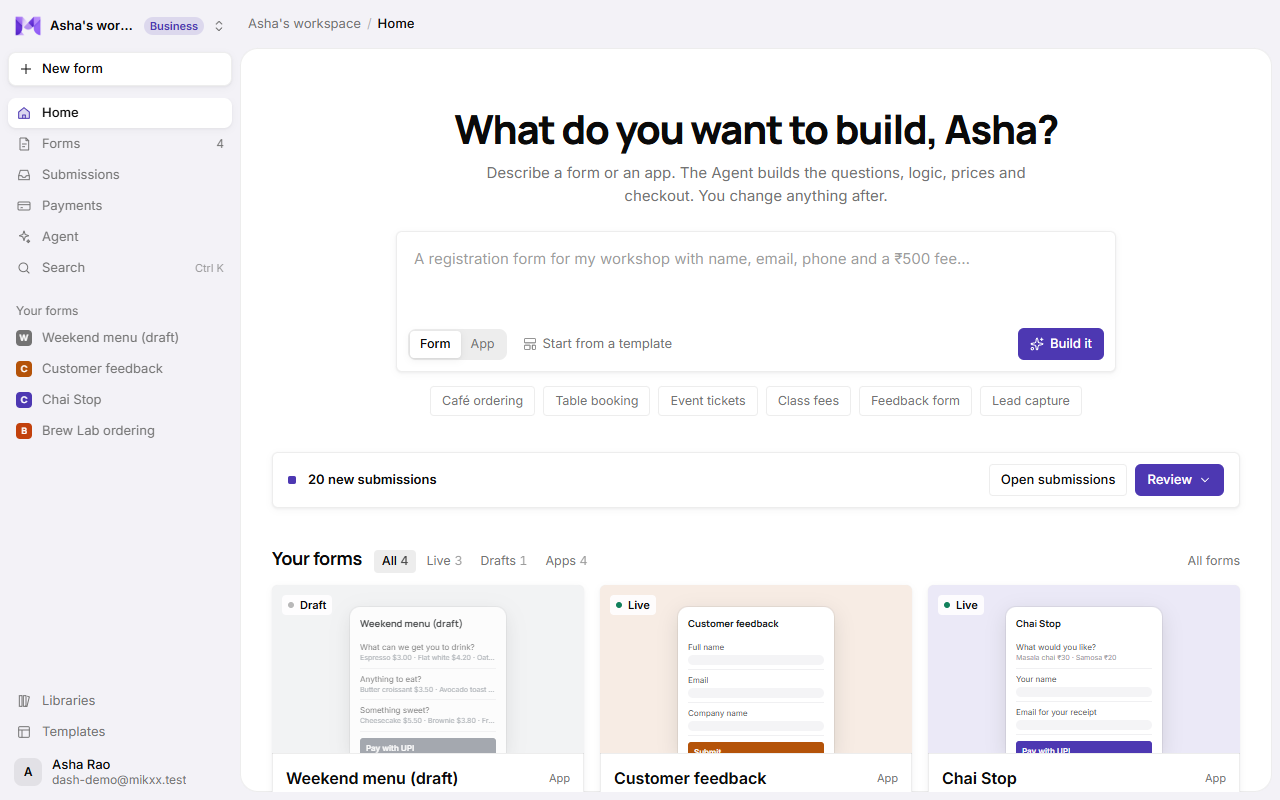
Where things are
| Place | What it's for |
|---|---|
| Home | Start from a prompt, see what needs confirming today, and open any form. |
| Forms | All your forms and apps. Each has its own page with tabs. |
| Submissions | Every response across your forms. |
| Payments | Money in, payouts and payment history. |
| Agent | Chats with the agent that builds and changes your forms. |
| Docs | This guide. |
Each form's page has tabs: Create (its questions), Share (link and QR), Results, Submissions, Payments (when it takes money), Data (an app's lists), Automations and Settings.